
WYSIWYG stands for “What You See Is What You Get.”
That phrase may sound simple, but it changed how people create content forever.
If you’ve ever typed into a document editor, dragged elements around on a website builder, or formatted text without touching a line of code, you’ve lived inside the world that WYSIWYG stands for. Whether you realized it or not.
This article breaks down what WYSIWYG stands for, where it came from, how it actually works behind the scenes, and why professionals still rely on it—even in a world obsessed with code, automation, and AI. We’ll skip the fluff. We’ll focus on what matters, what works, and when WYSIWYG helps or hurts your workflow.
Let’s get into it.
What WYSIWYG Stands For
WYSIWYG stands for What You See Is What You Get.
That’s the full phrase. No mystery. No hidden meaning.
In practical terms, WYSIWYG stands for an editing experience where the content you create on your screen closely matches the final output. What you see while editing is what users see when it’s printed, published, sent, or displayed.
No translation step required.
Instead of writing commands or markup and hoping the result looks right, you see the result as you work. Fonts appear as fonts. Images sit where you place them. Layouts look finished before you hit publish.
That core promise is why WYSIWYG stands for more than an acronym. It represents a philosophy of usability.
Why the Idea Behind WYSIWYG Was Revolutionary
Before WYSIWYG, creating documents or digital content was not visual.
At all.
You typed text.
You added formatting codes.
And you printed or rendered the file.
Then you discovered what it actually looked like.
If it was wrong, you repeated the process.
WYSIWYG flipped that experience on its head.
Suddenly, non-technical users could create professional-looking documents without understanding how the system worked underneath. That shift opened the door for mass adoption of personal computers, desktop publishing, and later, the modern web.
This is why WYSIWYG stands for empowerment as much as convenience.
A Short History of How WYSIWYG Came to Be
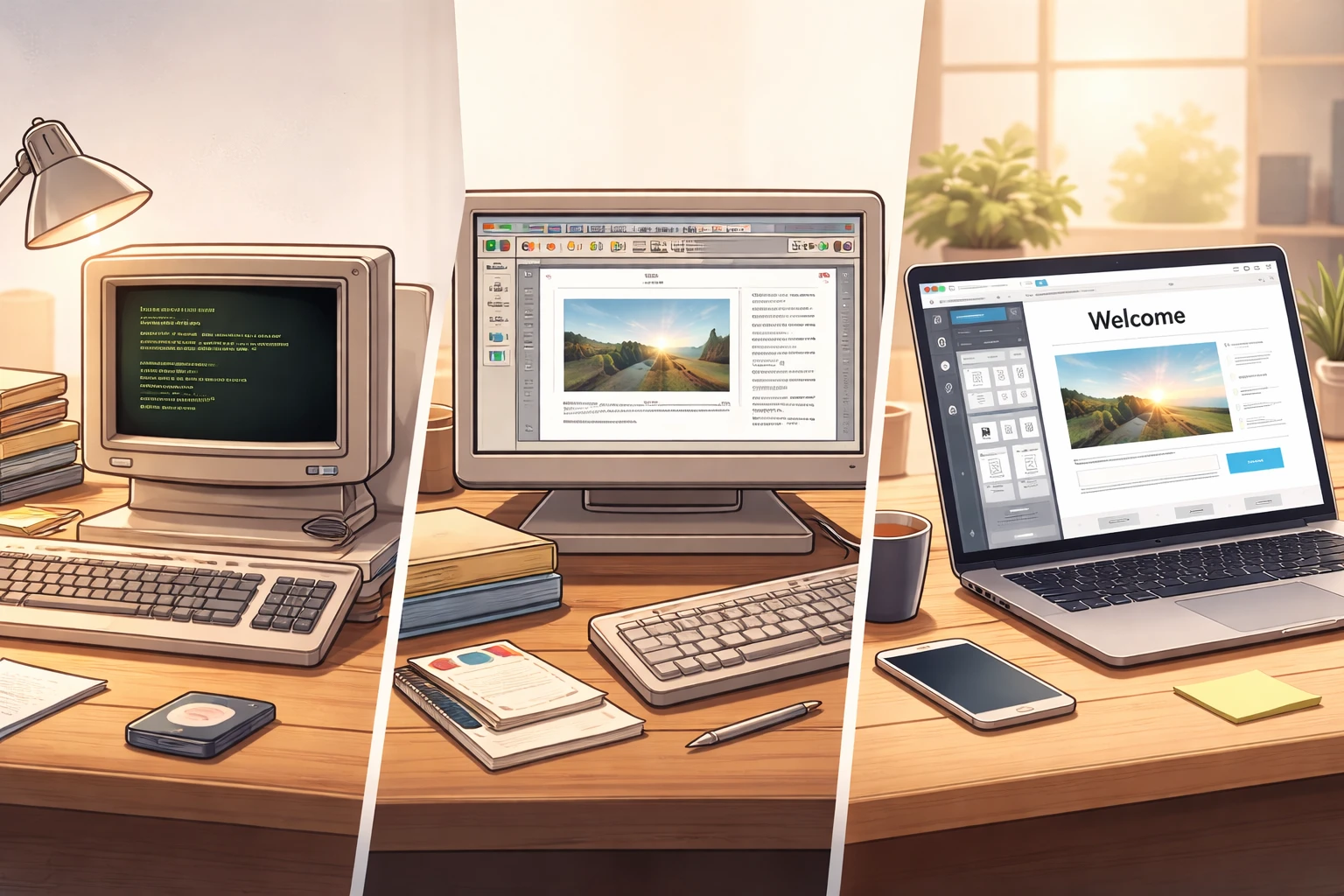
Early computing was text-only. Commands ruled everything. Screens were functional, not friendly.
Then graphical interfaces arrived.
As screens improved and software matured, developers realized something important: people think visually. They design visually. They make decisions faster when they can see the result.
The first WYSIWYG editors appeared in document creation and publishing tools. Word processing became visual. Layouts became drag-and-drop. Formatting stopped being a guessing game.
Later, the web followed the same path.
As websites grew more complex, WYSIWYG editors made publishing accessible to writers, marketers, and business owners who didn’t want to learn HTML just to change a headline.
That’s how WYSIWYG moved from a niche innovation to an industry standard.
How WYSIWYG Editors Actually Work
Here’s where things get interesting.
While WYSIWYG stands for “what you see is what you get,” the reality is more nuanced.
Under the hood, most WYSIWYG editors still generate code. HTML. CSS. Sometimes JavaScript. The difference is that you don’t have to write it manually.
Instead, the editor acts as a translator.
You click bold → the editor applies the correct formatting.
You drag an image → the editor inserts layout instructions.
And you resize a section → the editor recalculates spacing and structure.
All of this happens in real time.
Simplified Workflow
| Action You Take | What the Editor Does |
| Type text | Generates structured content |
| Format text | Applies styling rules |
| Insert media | Handles placement and sizing |
| Rearrange layout | Updates structure behind the scenes |
That’s why WYSIWYG feels immediate. But it’s also why results can vary depending on platform, screen size, or output method.
Common Places You Encounter WYSIWYG Today
You interact with WYSIWYG editors more often than you think.
Some of the most common environments include:
- Word processors
- Website builders
- Content management systems
- Email marketing platforms
- Blogging tools
- Presentation software
If you’ve ever edited content without seeing raw code, you were using a system built on the idea that WYSIWYG stands for.
The Biggest Advantages of WYSIWYG Editing
Let’s talk benefits. Real ones.
1. Speed
You move faster when you can see results instantly.
There’s no mental translation step.
This matters when deadlines are tight.
2. Accessibility
WYSIWYG lowers the barrier to entry. Writers can write. Designers can design. Teams can collaborate without technical bottlenecks.
3. Visual Confidence
Seeing the final layout as you work builds confidence. You know what you’re delivering before it goes live.
4. Collaboration
Non-technical stakeholders can review and edit content without breaking anything. That alone saves hours of back-and-forth.
5. Reduced Training Time
You don’t need to master syntax or structure to be productive. That’s why WYSIWYG stands for usability in professional environments.
Where WYSIWYG Falls Short
Now the honest part.
WYSIWYG is not perfect.
1. Less Precision
Visual editors trade control for convenience. Fine-tuning layouts or optimizing performance can be harder.
2. Messy Output
Some WYSIWYG editors generate bloated or inconsistent code. That can impact load times, responsiveness, or maintainability.
3. Device Differences
What looks perfect on your screen may shift on another device. Especially with responsive layouts.
4. Platform Lock-In
You’re limited by what the editor allows. If the tool doesn’t support a feature, you’re stuck.
This is where professionals need to be intentional about when—and how—they use WYSIWYG.
WYSIWYG vs Code-Based Editing
This isn’t a battle. It’s a choice.
Visual Editing Works Best When:
- Speed matters
- Multiple contributors are involved
- Content changes frequently
- Technical expertise is limited
Code-Based Editing Works Best When:
- Performance is critical
- Custom layouts are required
- Long-term scalability matters
- You need full control
Many modern tools combine both approaches.
You edit visually.
Then tweak code when needed.
That hybrid model exists because WYSIWYG stands for convenience, not replacement.
How WYSIWYG Changed Web Publishing
Before WYSIWYG web editors, publishing online required technical skills. That limited who could participate.
Once visual editors entered the picture, publishing exploded.
Blogs multiplied.
Small businesses built websites.
Marketing teams moved faster.
The internet became more diverse because creation became easier.
That’s the hidden impact of what WYSIWYG stands for. It democratized content creation.
Modern WYSIWYG Is Not What It Used to Be
Today’s WYSIWYG editors are smarter.
They understand responsive design.
They offer previews across devices.
And they support reusable components and structured content.
Many now use block-based systems rather than freeform formatting. That’s intentional.
It balances flexibility with consistency.
You still see what you get—but within smarter constraints.
Practical Tips for Using WYSIWYG Editors Like a Pro
Here’s where you get actionable value.
Keep Formatting Simple
Avoid stacking styles. Let structure do the work.
Use Headings Properly
Don’t size text manually. Use proper heading levels for clarity and consistency.
Test Output, Not Just Preview
Send test emails. Preview on mobile. Check published pages.
Know When to Switch Views
If your editor offers a code or source view, learn just enough to fix small issues.
Respect the Tool’s Limits
Don’t fight the editor. Work with it.
These habits separate clean, professional results from messy ones.
Common Misunderstandings About WYSIWYG

Let’s clear a few things up.
- WYSIWYG does not mean “no code exists”
- WYSIWYG does not guarantee perfect output everywhere
- WYSIWYG is not just for beginners
- WYSIWYG is not inherently unprofessional
Used correctly, it’s a productivity multiplier.
Misused, it’s a shortcut that backfires.
Who Should Use WYSIWYG Editors
WYSIWYG editors are ideal for:
- Content creators
- Marketing teams
- Business owners
- Editors and writers
- Non-technical collaborators
Even developers use WYSIWYG tools—strategically.
Because speed matters.
Why WYSIWYG Still Matters Today
Technology evolves. Interfaces change. Tools get smarter.
But the core idea hasn’t aged.
People want to see what they’re creating.
They want confidence before publishing.
They want fewer surprises.
That’s why WYSIWYG stands for something timeless.
Not simplicity.
Not laziness.
Clarity.
Final Thoughts
WYSIWYG stands for What You See Is What You Get, but its impact goes far beyond the words.
It reshaped how we create.
It expanded who could publish.
And it changed expectations around usability and speed.
In modern workflows, WYSIWYG is no longer the only option—but it remains a critical one. Used thoughtfully, it accelerates work without sacrificing quality.
The key is knowing when to lean on it.
And when to go deeper.
That’s the real power behind what WYSIWYG stands for.
FAQs
WYSIWYG stands for What You See Is What You Get, meaning the content you edit looks like the final output.
It allows users to create and format content visually without needing to understand underlying code.
No, it’s also widely used in word processors, email tools, presentation software, and content management systems.
No, code still exists behind the scenes, but the editor handles it automatically for the user.
Yes, many professionals use WYSIWYG editors for speed, collaboration, and efficient content updates.
They can offer less control over precise formatting, performance optimization, and custom design features.
WYSIWYG focuses on visual editing, while code-based editing requires manual control over structure and styling.
Most modern WYSIWYG editors support responsive layouts, but results can still vary across devices.
Yes, it remains essential for fast content creation and accessibility, especially for non-technical users.
When advanced customization, clean code control, or performance tuning is a top priority.